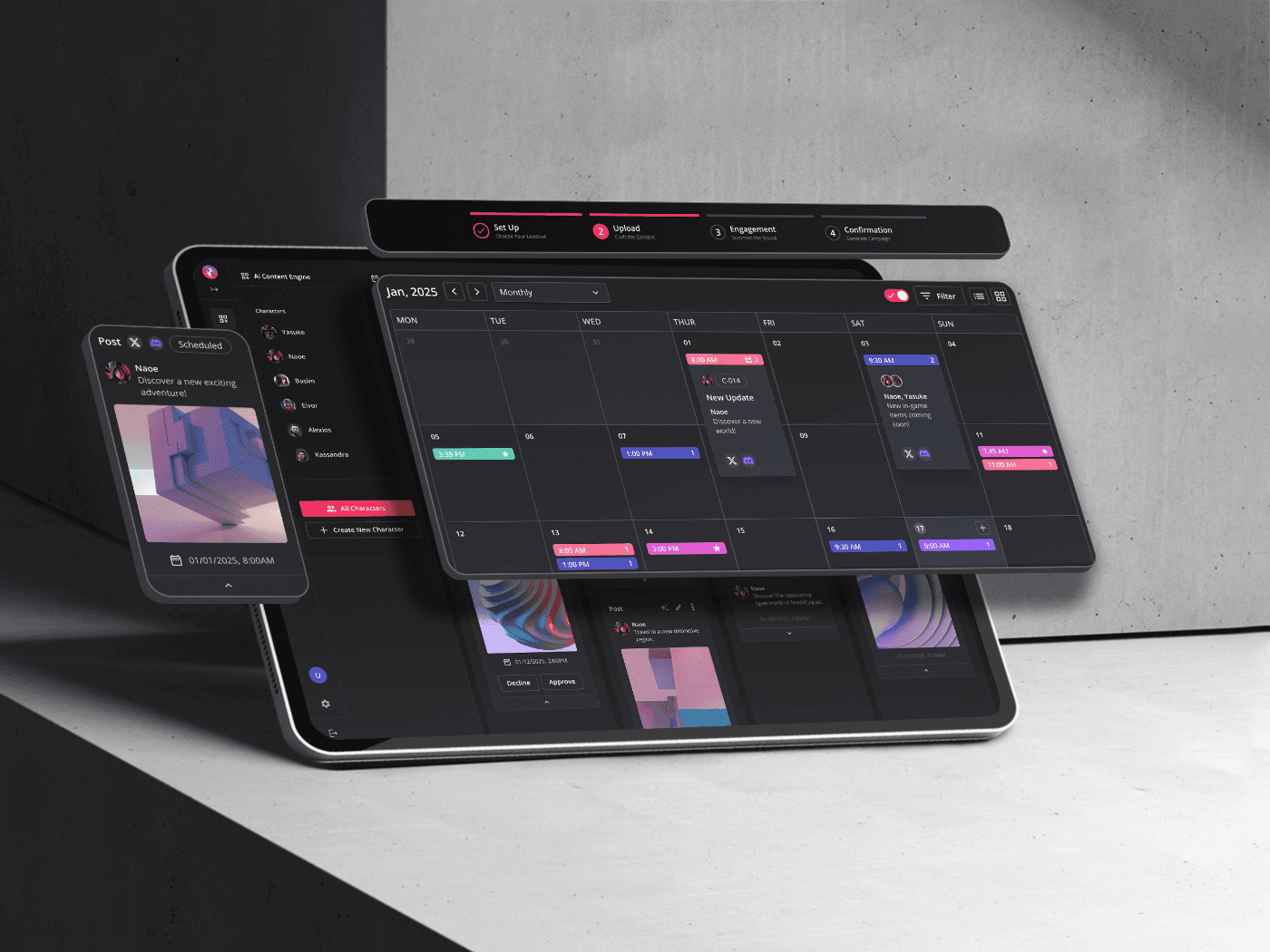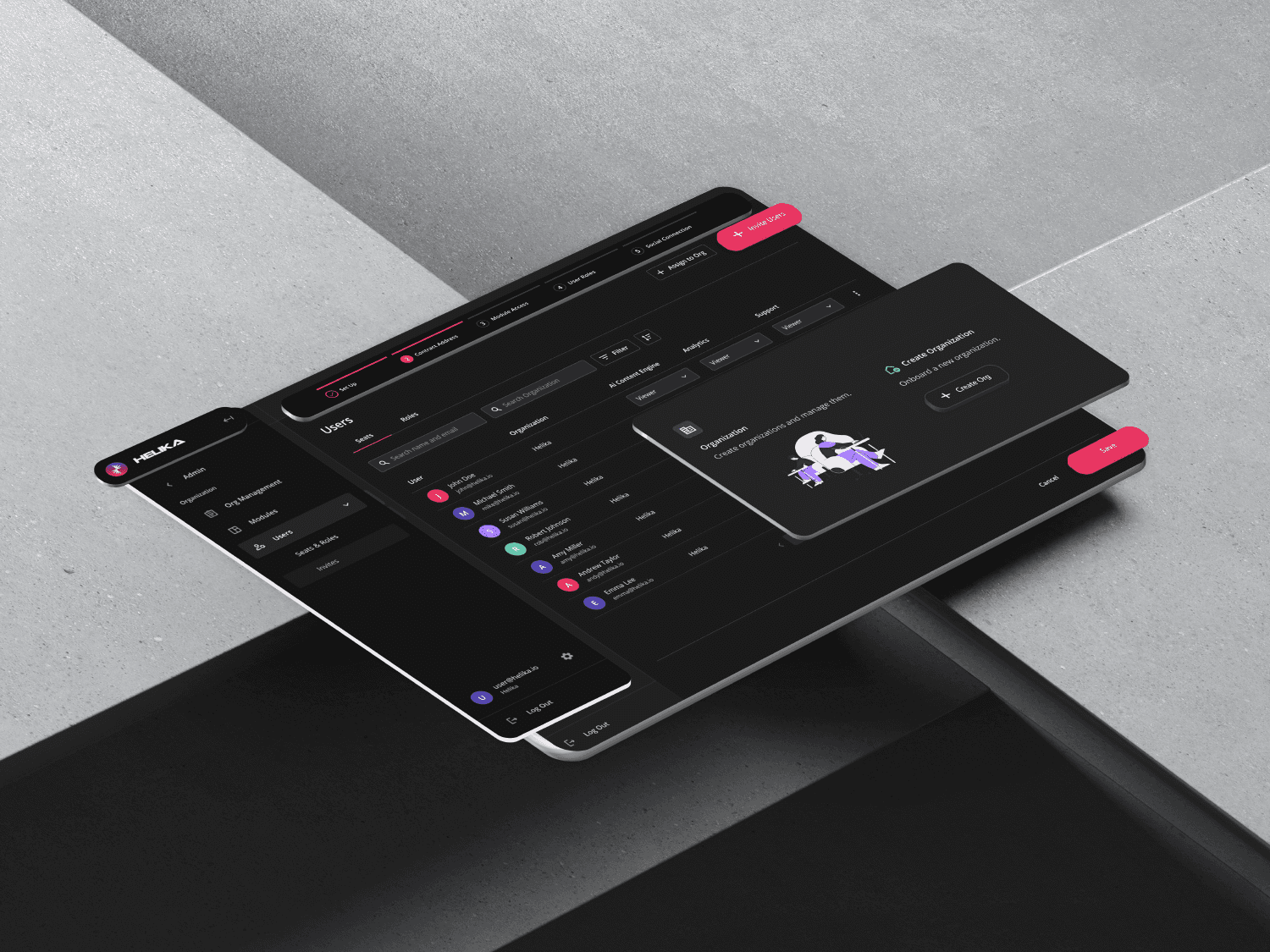
Challenge
Improve the user experience of an internal tool and its management flows, as well as integrate new modular platform onboarding features with the implementation of a design system.
Audit
I conducted an internal audit of UX flows in the company's Admin tool, and it revealed a simple user interface comprised of accordions with multiple options in each page and no clear flows. The user experience was overwhelming and created a cognitive overload.
Key Insights
User Flows
The organization management and account management flows of the application were in separate sections. Users had difficulty accessing the feature they needed as it didn't align with their mental model of hierarchy.
Design Heuristics
Inconsistency in surface components and foundational design and Gestalt principles, including typography scale, colors, spacing, iconography, UI components, labeling, and responsiveness, among other issues.
Brainstorming
Following the insights of the two account and organization flows, I contributed in restructuring the information architecture. Account Management was used for the internal team's management, and a general Organization Management was utilized for external clients. The internal and external teams' management were unified under an Organization Management flow within the same Admin panel.
I created an organizational structure in which new hierarchical and sequential UX flows were divided into three pillars: organization, users, and modules.

The Account Management screen was separate from the Admin panel screen, and they were both static pages with multiple types of settings in a single screen.

The updated organizational structure with the three main pillars: organization, users, and modules.
UX Flows
Following the updated information architecture, I initiated the ideation of the user flow and wireframe layout for the organization onboarding process. By implementing a sequential flow and introducing a stepper component in place of a single screen with multiple options, overall visual clarity and usability were significantly improved.
Once the team aligned on the revised user flow and wireframes, I proceeded to design responsive, high-fidelity prototypes for the onboarding experience.
With a focus on clear and intelligible UX writing, I developed a structured labeling system that clearly differentiates access types. Module-level access was defined as seats, while organization-level access was defined as roles. This distinction enhanced user comprehension and supported clearer positioning of subscription package offerings.
Onboarding

User flow and wireframes of organization onboarding.
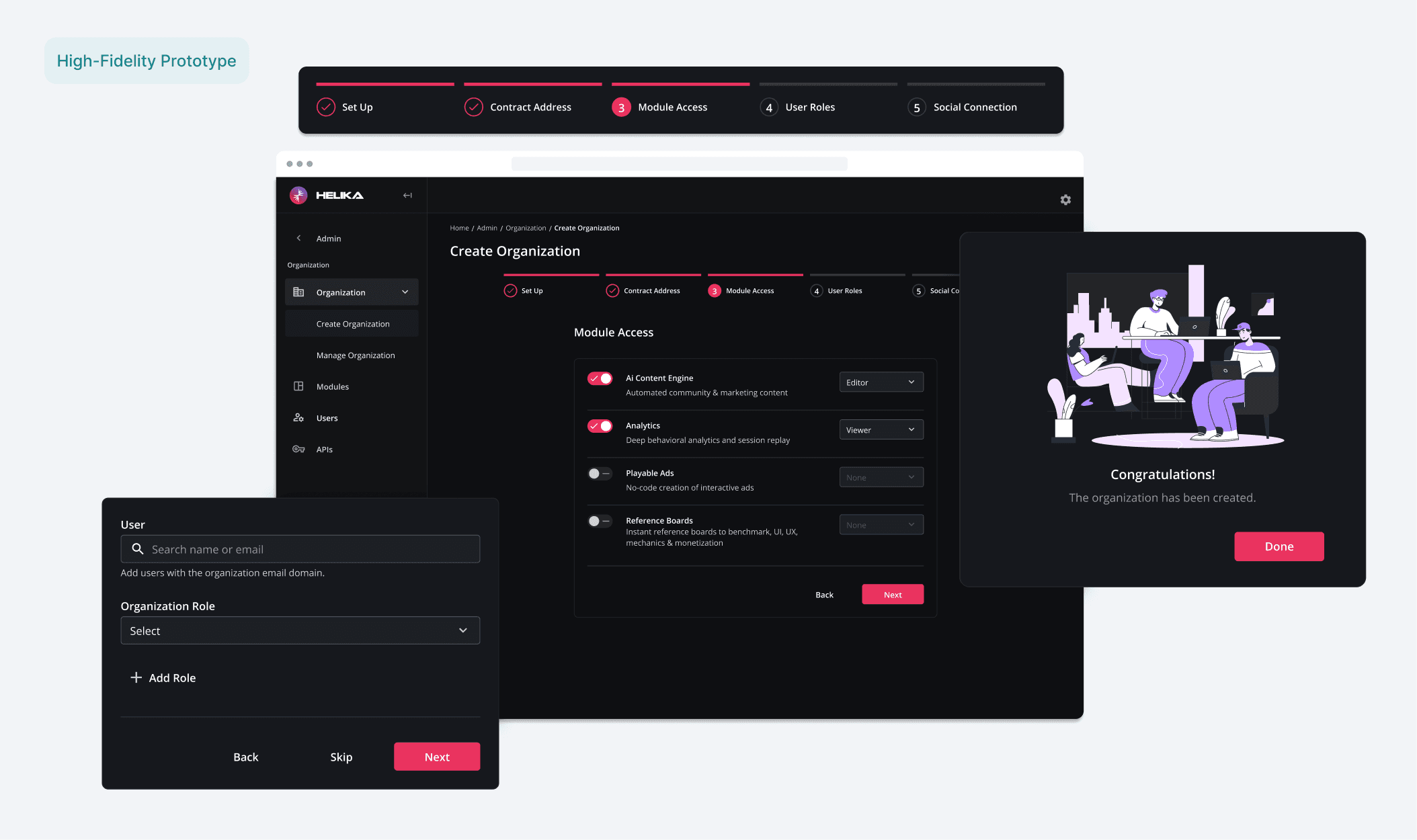
I created a responsive layout of the onboarding flow, utilizing components with tokens and variables from the company's design system I also contributed to building.
Labeling System
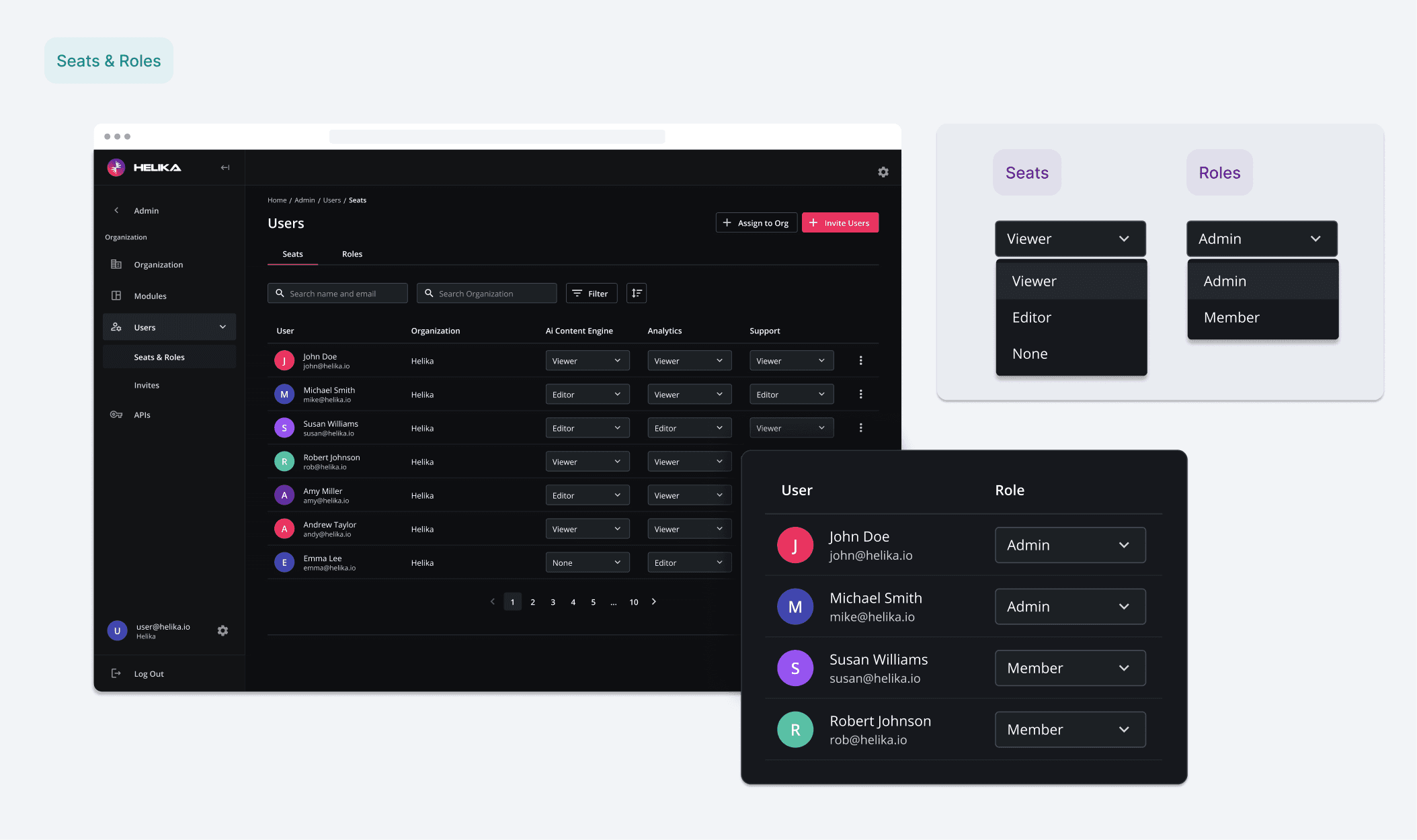
User management screen with the ability to edit user seats and roles.
Global Navigation
Based on the updated information architecture and user flows, I led a comprehensive redesign of the global left-drawer navigation across the platform. As part of this effort, a new Admin panel was introduced, enabling a nested navigation menu that is conditionally displayed for users with administrator access.
I also contributed to the design of the Admin panel hub, which features a matrix-based hierarchy that provides quick and intuitive access to frequently used settings. Additionally, the global navigation was updated to include an Admin entry within the Settings menu, allowing administrators to access it at any time from the Home screen or from any module within the application.
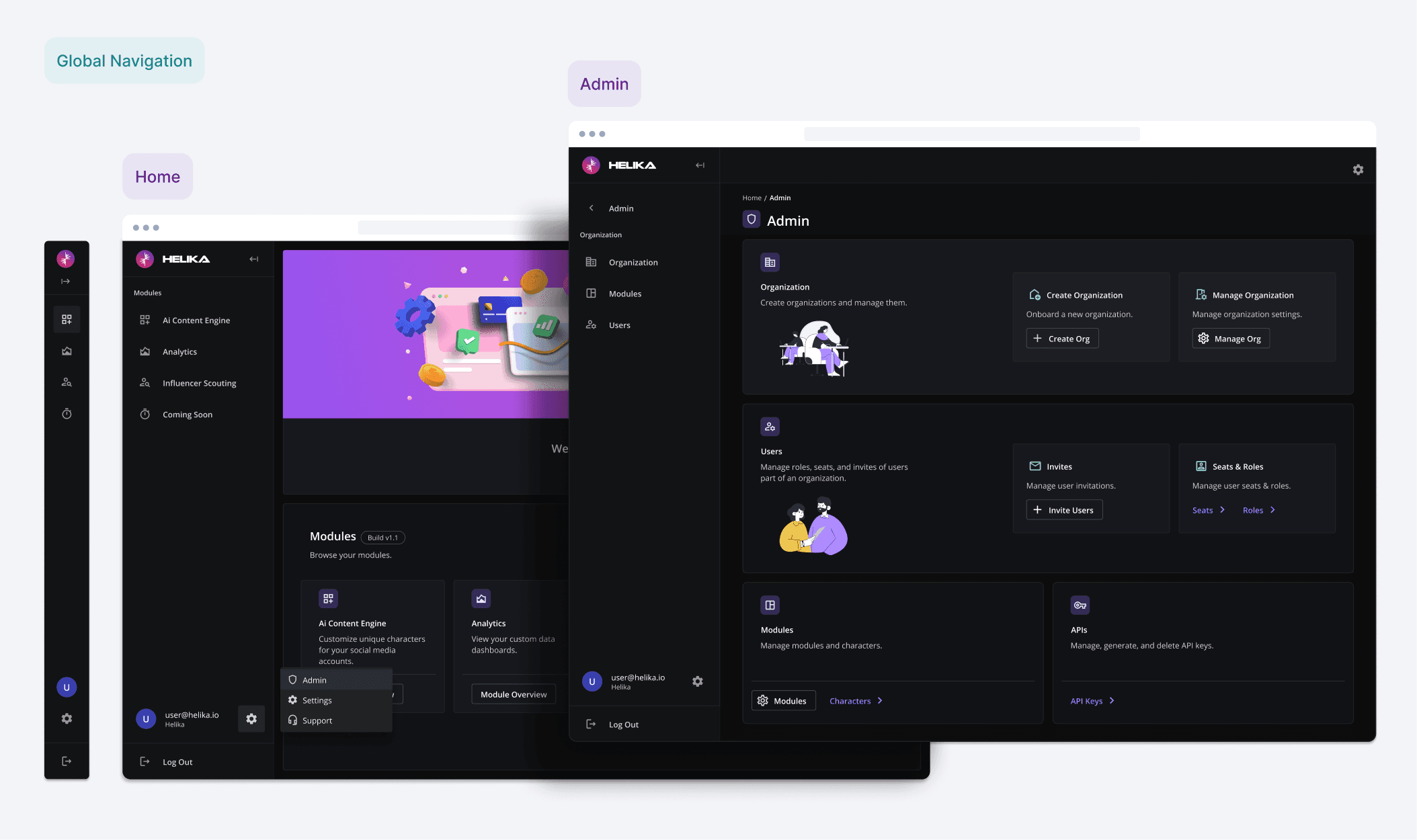
Global navigation drawer, platform Home screen, and Admin panel hub.
Results
The team finalized an updated version of the Admin panel, with improvements in its architecture, UX flows, and UI with the implementation of a design system.
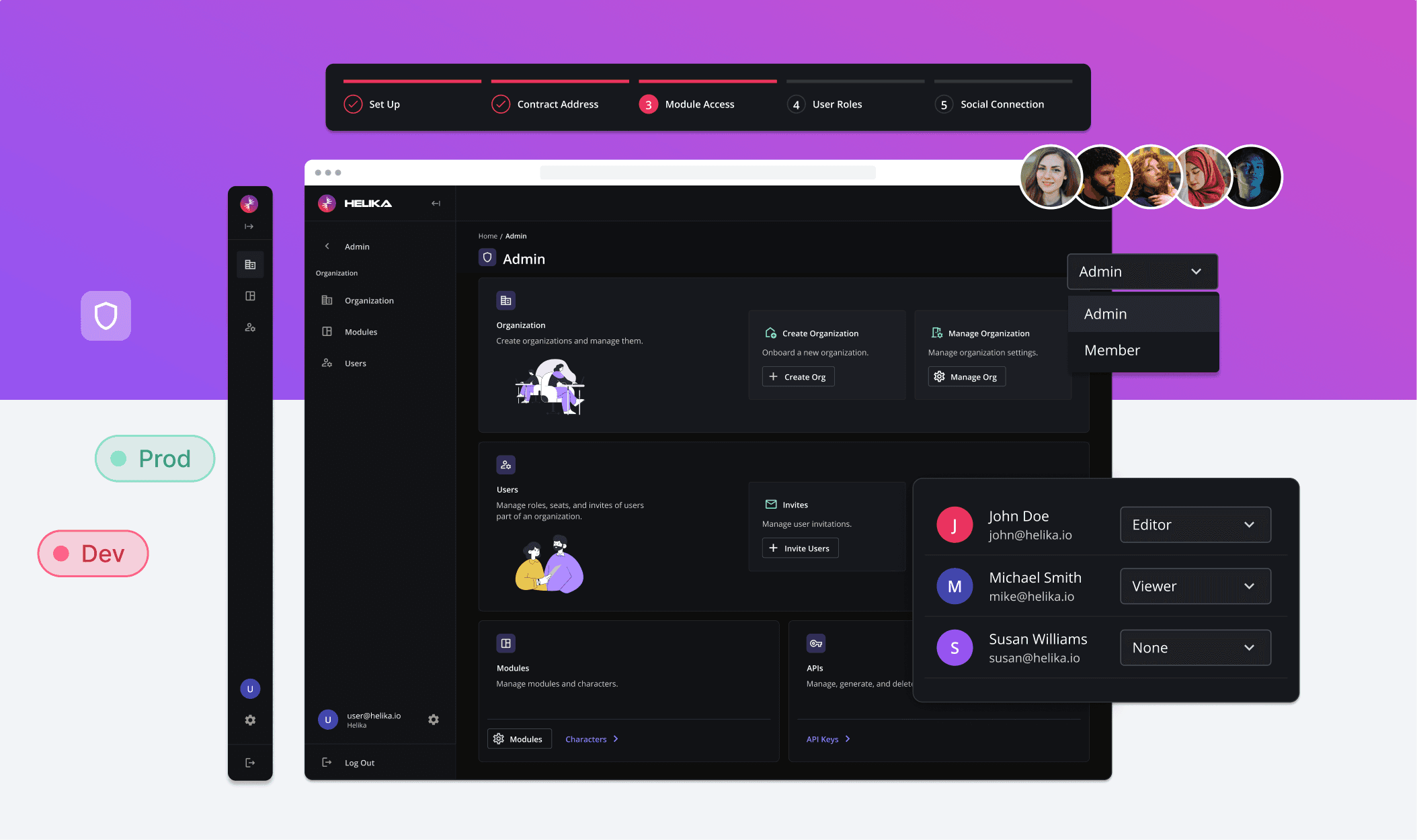
Client Onboarding Improvement
The engineering team was able to reallocate resources to higher priority tasks, as onboarding and managing organizations, users, and modules was updated to an easier process.
Platform Hierarchy Streamlined
The new global navigation allowed for better match of users mental model and allowed for a scalable system that grows with its organizations, users, and modules.
Design System Implemented
The update included flow improvements as well as streamlined development implementation with consistent components with the inclusion of variables, which would decrease development time in future updates.